Best AI Agent Framework? A Practical Stack Guide for 2026
Compare direct APIs, OpenAI Agents SDK, LangChain, LangGraph, CrewAI, AutoGen, n8n, and MCP by control, durability, observability, and team fit.
Written by Dali
Dali is an AI agent systems studio. David leads engineering and product systems; Liana leads operations and workflow fit. We ship production agents inside tools teams already use.
David Hakobyan · LinkedIn · Dali

Direct answer
There is no single best AI agent framework for every project.
Use the thinnest layer that gives your workflow the state, tool control, human approval, durability, tracing, and provider support it actually needs.
- Use a direct model API for a short, explicit loop that your team wants to own.
- Use the OpenAI Agents SDK when you want a lightweight Python runtime for turns, tools, guardrails, handoffs, sessions, and tracing.
- Use LangChain when you want higher-level agent patterns and a broad integration layer.
- Use LangGraph when the workflow is long-running, stateful, branching, interruptible, or must resume after failure.
- Use CrewAI when role-based crews or a mix of autonomous crews and structured flows matches the problem.
- Use AutoGen AgentChat when your team wants Microsoft's agent and team abstractions for multi-agent experimentation or applications.
- Use n8n when visual workflow orchestration and existing business integrations matter more than owning a code-first agent runtime.
- Use MCP to standardize connections to tools and data, not to replace orchestration or operations.
The framework should earn its place by reducing necessary work. If it only renames a loop your team could implement clearly in a small module, it has added dependency risk without adding capability.
First, separate the layers
Many "framework comparisons" mix unlike things. A model API, an agent SDK, an orchestration runtime, a visual workflow builder, and a connection protocol solve different parts of the system.
| Layer | Job | Examples in this guide | It does not automatically provide |
|---|---|---|---|
| Model API | Generate output and call tools | OpenAI Responses API or another provider API | Your business workflow, durable state, approvals, or ownership |
| Agent SDK | Run the model-tool loop and common agent primitives | OpenAI Agents SDK | A complete product or business-specific policy |
| Agent framework | Provide higher-level patterns, integrations, and abstractions | LangChain, CrewAI, AutoGen AgentChat | Proof that the chosen pattern fits your workload |
| Orchestration runtime | Control state, branching, pause, resume, and long-running execution | LangGraph | Correct tools, evals, or secure permissions |
| Workflow builder | Connect triggers, apps, logic, and human steps visually | n8n | Automatic safety for model-selected actions |
| Connection protocol | Standardize how applications discover and call external tools or data | MCP | Orchestration, authorization policy, or evaluation |
| Operations layer | Evaluate, trace, monitor, alert, roll back, and assign ownership | Framework-specific or independent tooling | Good workflow design by itself |
You may use several layers together. For example, an application can run an OpenAI model inside LangGraph, call tools exposed through MCP, and send an approval task through an existing business system.
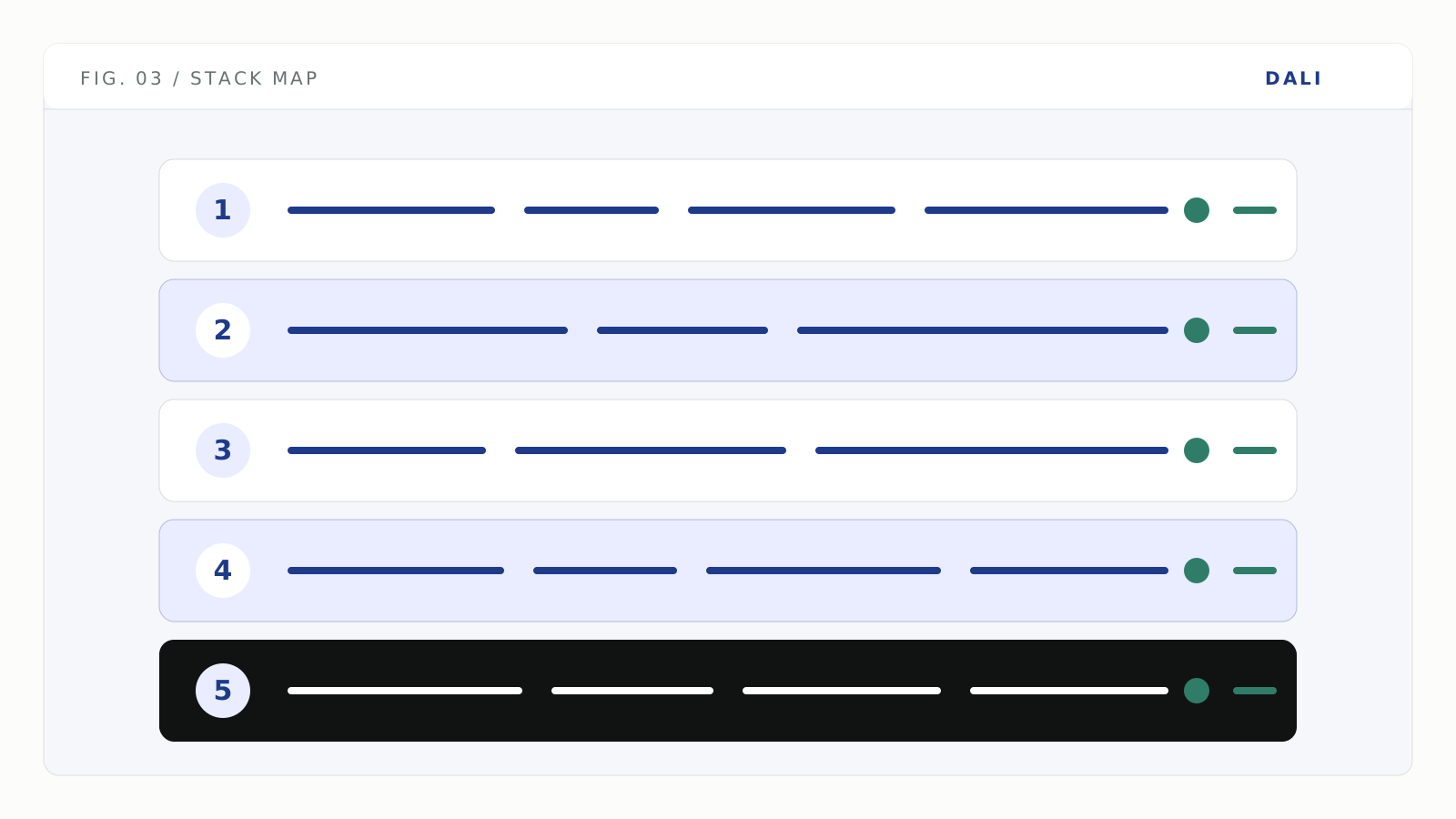
Framework choice sits in the middle of the system; tool permissions, evaluation, and operations still need explicit design.
Capability comparison
This matrix summarizes capabilities documented by the maintainers and checked on 2026-08-11. It is not a benchmark of speed, quality, reliability, popularity, or total cost.
| Option | Best fit | Control style | Durable state and resume | Human-in-the-loop | Observability | Main trade-off |
|---|---|---|---|---|---|---|
| Direct model API | One short agent loop or highly custom runtime | You own everything | You build it | You build it | You build or integrate it | Maximum control, maximum responsibility |
| OpenAI Agents SDK | Lightweight Python agent applications on OpenAI or supported model adapters | Code-first primitives | Sessions and integration options; application still owns deployment architecture | Built-in mechanisms | Built-in tracing | Runtime and primitives are opinionated around the SDK |
| LangChain | Higher-level agents and broad model or tool integrations | High-level code abstractions | Commonly paired with LangGraph for persistence | Available through middleware and LangGraph | Commonly paired with LangSmith or other tracing | Abstraction breadth can exceed a small project's needs |
| LangGraph | Stateful, long-running, branching workflows | Low-level graph or functional orchestration | Core capability through checkpointing | Core interrupt and state-review patterns | Integrates with LangSmith and custom tooling | More workflow design work and explicit state modeling |
| CrewAI | Role-based collaboration plus structured flows | Crews, tasks, processes, and flows | Documented flow state, persistence, and resume patterns | Guardrails and human-in-the-loop triggers | Built-in and enterprise observability options | Team metaphor can encourage unnecessary multi-agent design |
| AutoGen AgentChat | Agent and team applications in the Microsoft ecosystem | Agents, teams, messages, and termination conditions | State management documented | Documented human-in-the-loop patterns | Requires a deliberate operational setup | Multi-agent flexibility increases evaluation surface |
| n8n | Visual business automation with AI steps and many integrations | Nodes, triggers, and workflows | Workflow execution and hosting features | Human fallback and tool-approval patterns are documented | Execution history, logs, and external options | Complex agent logic can become hard to test inside a visual graph |
| MCP | Reusable tool and data connections across compatible clients | Client-server protocol | Not an orchestration runtime | Not an approval system | Not a trace or eval platform | Standardized connectivity can widen the tool and authorization surface |
When a direct model API is enough
Start without a framework when the workflow is small and the control flow is easy to express directly.
A good direct implementation might:
- send the task and available tool schemas to the model;
- validate a requested tool call;
- execute the tool under scoped credentials;
- return the result to the model;
- stop after a clear completion condition or step limit;
- write an application trace.
This is a strong choice when:
- there is one agent;
- the workflow finishes in one request or short session;
- the tool set is small;
- the team needs custom control over validation and state;
- the team is willing to own retries, traces, approvals, and persistence.
Do not confuse fewer dependencies with less engineering. Direct API use removes framework behavior, but it transfers every missing behavior to your code.
OpenAI's current SDK documentation makes this boundary explicit: use the Responses API directly when you want to own the loop, tool dispatch, and state handling; use the Agents SDK when you want the runtime to manage those concerns (OpenAI Agents SDK).
When to use the OpenAI Agents SDK
The OpenAI Agents SDK is a strong fit when the application uses Python and needs agent primitives without adopting a larger orchestration framework.
Its documented features include:
- an agent loop;
- function tools with generated schemas;
- guardrails;
- agent handoffs and agents as tools;
- sessions;
- human-in-the-loop mechanisms;
- MCP server integration;
- built-in tracing.
The official documentation describes the SDK as a small set of primitives designed to remain customizable (OpenAI Agents SDK overview).
Use it when:
- the workflow is centered on OpenAI models or compatible adapters;
- the team wants a code-first runtime with built-in tracing;
- handoffs or tool execution would otherwise create repetitive runtime code;
- the deployment does not require a separate graph abstraction for every state transition.
Use a direct API or a more general runtime when you need full ownership of the execution loop, a different language ecosystem, or durable workflow behavior that does not fit the SDK's primitives cleanly.
If you still use the older Assistants API surface, treat migration as a separate lifecycle task. See the Assistants API shutdown migration guide rather than choosing a new architecture from an outdated comparison.
LangChain vs LangGraph
LangChain and LangGraph are related, but they sit at different levels.
LangChain provides higher-level agent abstractions and integrations. LangGraph is a low-level orchestration runtime for long-running, stateful workflows.
LangGraph's official overview emphasizes durable execution, streaming, human-in-the-loop control, persistence, and fine-grained orchestration (LangGraph overview).
Choose LangChain when:
- you want a higher-level starting point;
- prebuilt agent patterns and integrations reduce real setup work;
- the workflow does not need a custom graph from day one.
Choose LangGraph when:
- execution must pause and resume;
- state must survive process failure;
- humans must inspect or edit state before a tool runs;
- the workflow branches and loops in ways that should remain explicit;
- long-running tasks need checkpoints;
- replay and trajectory debugging matter.
LangGraph's persistence documentation explains that checkpointing enables human intervention, memory, time-travel debugging, and fault recovery (LangGraph persistence).
The trade-off is explicit state design. That is valuable when the workflow is genuinely stateful and unnecessary when the application only needs one model call plus two tools.
LangGraph vs CrewAI
Choose between them from the control model, not the brand.
LangGraph starts from state, nodes, edges, checkpoints, and explicit execution. It fits workflows where the path and recoverable state are the main design problem.
CrewAI starts from agents, roles, tasks, processes, crews, and flows. Its current documentation distinguishes autonomous collaboration in Crews from more structured, event-driven control in Flows (CrewAI documentation, CrewAI introduction).
Choose LangGraph when:
- durable state and resume are non-negotiable;
- you need to inspect and modify the exact workflow state;
- graph-shaped control flow is natural for the application;
- you want the multi-agent structure, if any, to emerge from workflow requirements.
Choose CrewAI when:
- role-based task delegation maps clearly to the problem;
- your team values Crew and Flow abstractions;
- you need a mix of exploratory agent work and structured surrounding control;
- you can test each delegation and termination path.
Do not introduce multiple agents because the framework makes it easy. Use multi-agent vs single-agent to test whether specialization actually earns the added failure surface.
When AutoGen fits
AutoGen AgentChat is a Microsoft-maintained framework for building applications with agents and teams.
Its current user guide covers agents, messages, teams, human-in-the-loop patterns, termination conditions, custom agents, and state management (AutoGen AgentChat).
It is a reasonable candidate when:
- the team wants explicit agent and team abstractions;
- Microsoft ecosystem alignment matters;
- multi-agent experimentation is part of the work;
- the team can define termination, state, and evaluation clearly.
The main risk is not specific to AutoGen. Any flexible multi-agent system creates more trajectories, handoffs, messages, and failure combinations to evaluate.
When n8n fits
n8n is a workflow automation product with visual orchestration, many application integrations, AI nodes, and self-hosting options (n8n documentation).
It is strong when:
- the workflow begins with business-system triggers;
- most steps are deterministic integrations;
- operators benefit from a visual graph;
- the AI step is one bounded part of a larger automation;
- the company already operates n8n.
It is weaker when:
- the core problem is a complex, stateful agent runtime;
- large prompt and tool policies become difficult to review in nodes;
- testing and code review need to happen mainly inside a software repository;
- execution semantics require custom durability or concurrency behavior.
n8n and a code-first runtime can work together. For example, n8n can trigger a service that owns the agent loop, then receive a structured result for the next deterministic steps.
For the boundary between workflow automation and production agents, read Zapier, Make, n8n vs production agents.
What MCP does and does not do
The Model Context Protocol is an open standard for connecting AI applications to external data, tools, and workflows (MCP introduction).
MCP can reduce custom integration work and make a tool available to multiple compatible clients. It does not decide:
- which tool the agent should call;
- whether the user is authorized for the action;
- whether a human must approve;
- how execution resumes after failure;
- how the run is evaluated;
- what gets logged or retained;
- who owns the production incident.
The protocol's own security guidance documents authorization and implementation risks (MCP security best practices). Treat an MCP server as a real application boundary, not as a harmless plugin.
A requirement-first decision tree
Use these questions in order:
- Can a deterministic workflow solve the task? If yes, use normal code or workflow automation and add AI only to the ambiguous step.
- Is the agent loop short and easy to own? If yes, start with a direct API or lightweight SDK.
- Must the run pause, resume, or survive process failure? If yes, select a runtime with explicit durable state or add a proven durable workflow engine.
- Does a human need to inspect or edit state before action? If yes, verify the exact interrupt, persistence, approval, and resume behavior with a prototype.
- Does the problem truly require multiple specialized agents? If no, keep one agent and deterministic tools.
- Are visual operations and existing app connectors the dominant need? If yes, test n8n or the workflow platform your team already runs.
- Will several clients reuse the same tool connections? If yes, evaluate MCP, but design authorization and audit independently.
- Can your team debug the chosen abstraction at 02:00? If no, the stack is too thick or the ownership plan is incomplete.
Run a proof-of-fit before committing
Do not compare frameworks with a hello-world chatbot. Use one representative workflow and force it through the cases that determine production fit.
| Test | What to prove | Pass evidence |
|---|---|---|
| Normal path | The system completes the primary user job | Correct final state and full trace |
| Tool validation | Invalid model arguments cannot reach the integration | Rejected call with readable reason |
| Permission boundary | The agent cannot exceed the user's authorized scope | Denied cross-account or disallowed action |
| Human approval | Execution pauses before a risky side effect and resumes correctly | Durable pending state plus reviewer record |
| Timeout and retry | A transient tool failure does not duplicate the business action | One effect, bounded retries, visible failure |
| Process restart | A long-running job resumes without losing or repeating completed work | Recovered state and deterministic continuation |
| Missing tool | The runtime fails safely when a dependency is unavailable | Clear fallback or escalation, no invented result |
| Trace inspection | An operator can reconstruct model, tool, handoff, and decision events | Searchable run with sensitive data controls |
| Evaluation | A prompt, model, or framework change can be compared on the same cases | Repeatable eval report with regression decision |
| Removal test | The abstraction can be replaced without rewriting business rules | Tool contracts and policy remain application-owned |
Score the evidence, not the developer experience of the first hour. A framework that makes the demo fast but hides state or errors can become expensive precisely when the pilot succeeds.
Use how to evaluate AI agents before go-live for the full evaluation design and agent observability for trace requirements.
Lock-in and maintainability checklist
Before choosing a stack, identify what belongs to your application rather than the framework:
- business rules;
- tool schemas and permission policies;
- prompt and instruction versions;
- evaluation cases and graders;
- workflow state schema;
- customer and tenant identifiers;
- audit events;
- retry and idempotency policy;
- model configuration;
- handoff and escalation contracts.
Keep these elements explicit and portable where practical.
Then inspect the framework dependency itself:
- release and deprecation policy;
- migration guides;
- supported language and runtime versions;
- provider abstraction behavior;
- persistence semantics;
- sensitive-data handling in traces;
- self-hosting or data-residency needs;
- license and commercial terms;
- ability to test locally;
- operational ownership after handoff.
Do not optimize for theoretical portability at the cost of a worse system today. Optimize for clear boundaries so a future migration is understandable.
A practical default
For one business workflow, a strong default is:
- one agent rather than a team;
- a small typed tool set;
- deterministic code around irreversible actions;
- a direct API or lightweight SDK first;
- a durable runtime only when pause, resume, or long state requires it;
- explicit evals and traces independent of the demo interface;
- one named owner and one stop path.
This is not the smallest possible demo. It is the smallest system that can produce evidence about whether more framework is justified.
How Dali fits
Dali chooses the stack after mapping the workflow, tools, action risk, state, and ownership requirements. We run a proof-of-fit on the failure cases before committing the production architecture.
If you have a workflow and a shortlist of frameworks, bring the constraints rather than a preferred logo. See solutions for the pilot model and what is a production AI agent for the controls the chosen stack still needs to support.
FAQ
Neither is universally better. LangGraph is a stronger fit when explicit state, durable execution, and low-level graph control are central. CrewAI is a stronger fit when role-based agents, tasks, crews, and structured flows match how the team wants to express the application. Test both on the same representative failure and approval cases.